Deadlock City Never Sleeps: the new city and October 2 hero rollout
30 September 2026
·
14 min read
Valve's City Never Sleeps update arrived on September 29, 2026. The city overhaul, new neutral creatures, interface improvements and temporary Broker are already part of the update. The six announced heroes are coming through a community vote, with the first release scheduled for October 2.
If you are returning to Deadlock, the biggest surprise may happen before you encounter a new hero. Familiar farming routes now take you through a city with stronger landmarks, stranger inhabitants and new reasons to weigh a detour against its risks.
For a returning group, this is a good excuse to learn the new districts together, revisit familiar builds and make room for a few mistakes. The important first decision is which changes to explore now and which to save for the hero rollout.
Here is what Valve has confirmed, what is still coming, and how to make your first games more useful than a tour interrupted by repeated deaths.
Last fact-checked: September 30, 2026. Release plans and temporary features should be checked again before playing.
The update is live, but the heroes are coming in stages
City Never Sleeps has two timelines.
- • September 29: the city update is live. The refreshed map, Haunts, temporary Broker, HUD and shop improvements, communication changes, accessibility options and expanded Sandbox are part of this release.
- • October 2: the first voted hero arrives. Six newcomers have been announced; the community decides their release order.
- • After that: Tuesdays and Fridays, 2:00 p.m. Pacific Time. Valve plans two hero releases per week. During this October rollout, that is 21:00 UTC.
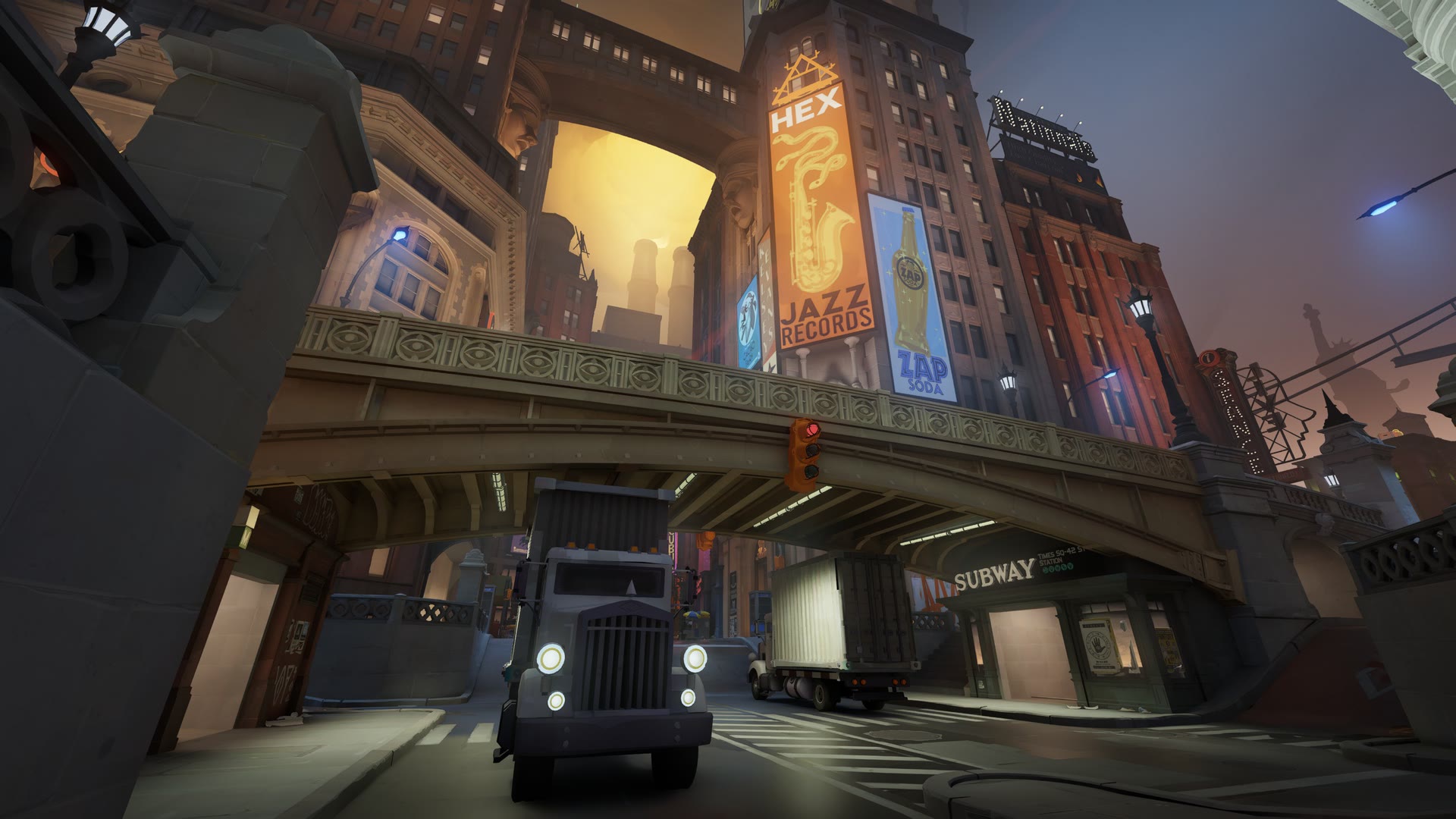
Times Square in Valve’s new visitor’s guide. Image: © Valve Corporation. City Never Sleeps.
This distinction matters when planning your return. You can explore the new city now. You cannot assume that every character shown in the announcement is already selectable.
Deadlock also remains a game in early development. Valve's update page still describes access as limited to invitations from existing playtesters.
Learn the city again, one district at a time
Valve presents the map refresh as an updated visitor's guide to its supernatural New York. Broadway, Greenwich and York give the lanes a stronger sense of place, with locations including Times Square, Umbria University, Central Park, the Stock Exchange and Old Fairfax Factories.
Between the main streets are four districts:
- • Theater
- • Chinatown
- • Haunted Lot
- • Plaza
The practical opportunity is to rebuild your mental map around landmarks. “Meet at Chinatown” can be a clearer starting point for a returning group than trying to describe an unfamiliar alley while a fight is already underway.
Two destinations come with particularly clear trade-offs.
At the Chinatown Bell Tower, you can collect a concentrated supply of souls. The cost is exposure: the bell rings across the map while you collect the rewards. A profitable stop can also advertise that someone is there.
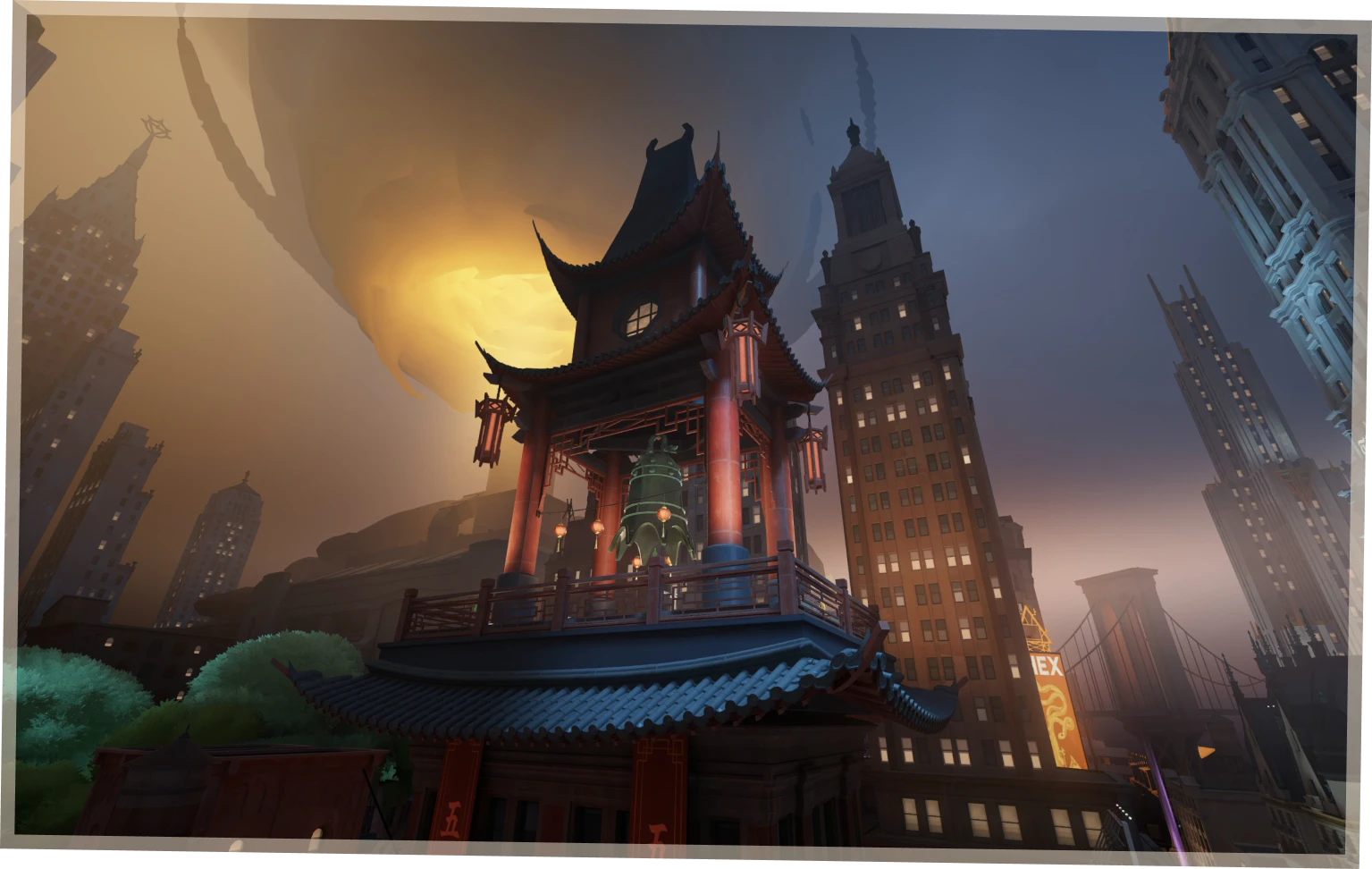
The Bell Tower rewards a detour, but collecting its souls announces your presence. Image: © Valve Corporation. City Never Sleeps.
Our suggestion is to treat the bell as information for both teams. Before taking the reward, check where your teammates are and how you will leave. When you hear it elsewhere, consider what that sound tells you before committing to your next move.
The Sunken Plaza sits beneath the Plaza district's main square. Valve describes it as a place with greater risk and reward, where descending drains your stamina.
Plan the way back out: descending into the Sunken Plaza drains stamina. Image: © Valve Corporation. City Never Sleeps.
That changes the question from “Is there something worth collecting?” to “What will I have left to escape with?” For your first visit, pay attention to the route out as carefully as the route in.
These are reading-the-map habits, not claims about an established optimal route. The update is new, and the community still has room to discover which detours pay off consistently.
Haunts replace the neutrals you remember
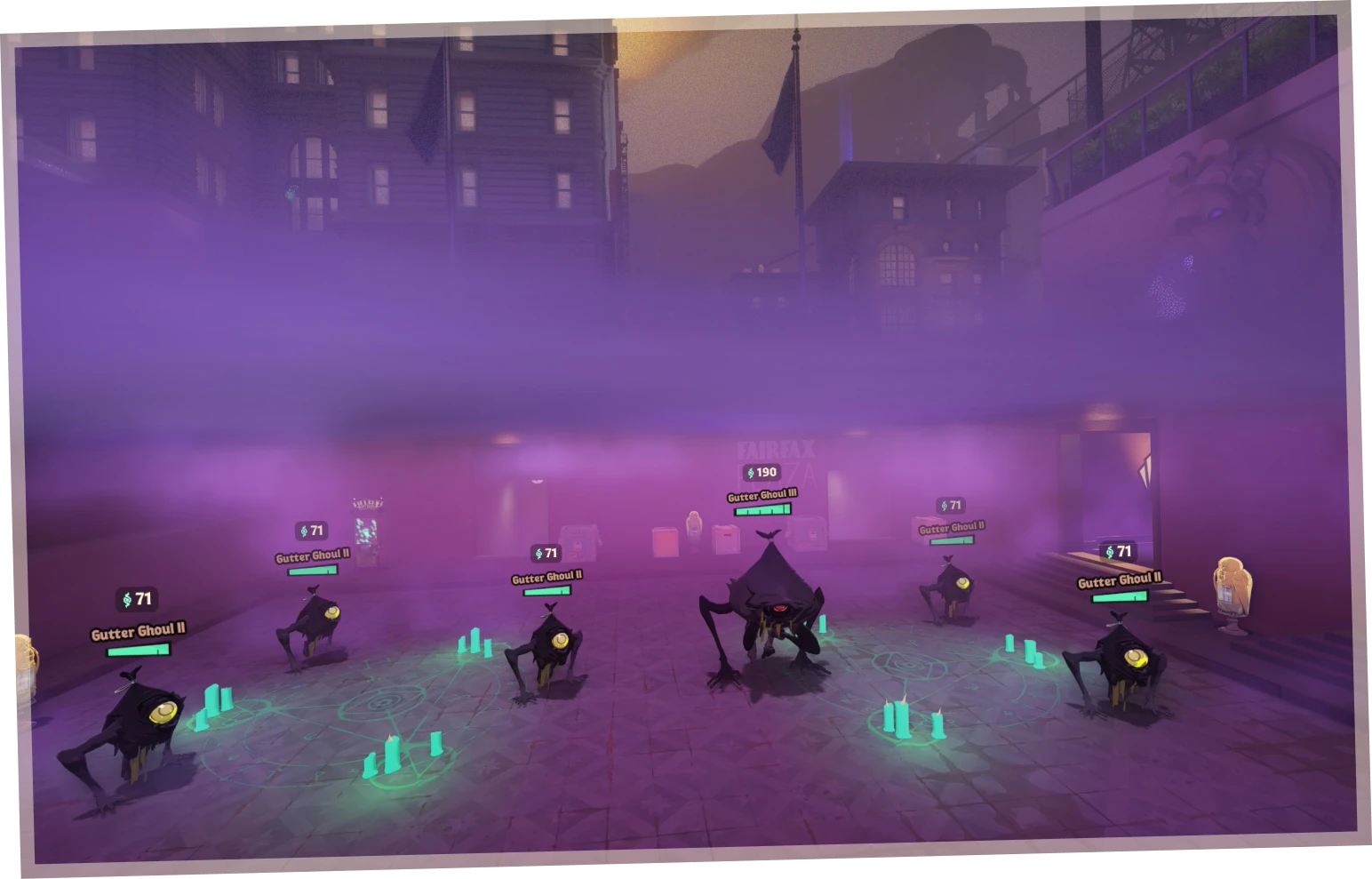
The old neutrals have been replaced by Haunts, a collection of creatures with new behaviours.
The visitor’s guide introduces these inhabitants:
- • Specimen
- • Gutter Ghouls
- • Barrel Mimics
- • Past Dues
- • Stage Hands
- • Crabbage Pots
- • Festival Spirit
- • Shrooms
- • Underhands
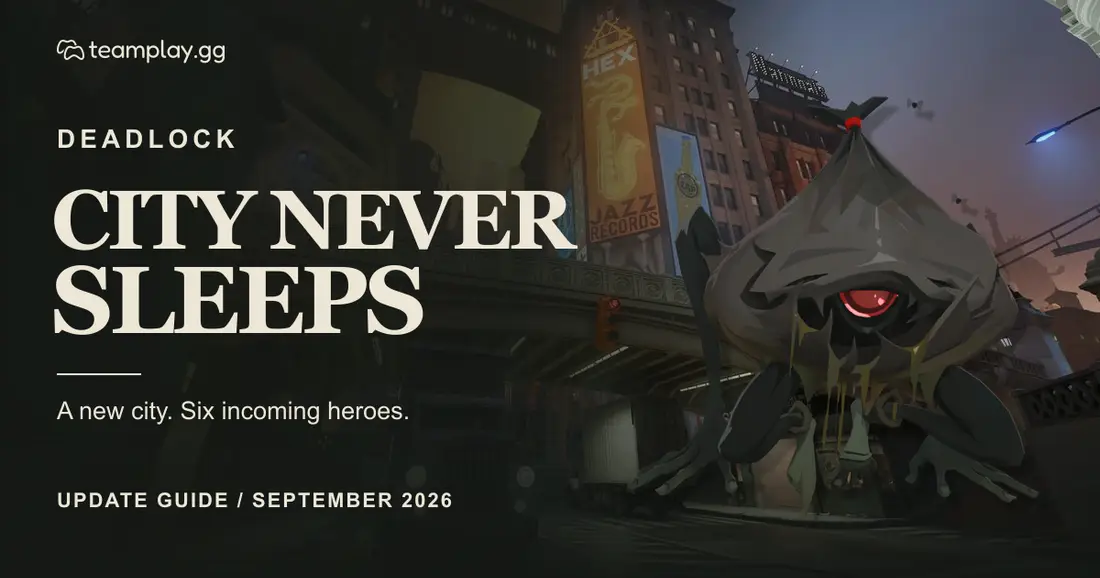
Their designs connect the spaces between lanes to the city’s occult identity. The Gutter Ghoul on this article’s cover is one of Valve’s actual new creature assets.
The important gameplay point is the change in behaviour. An old camp-clearing habit may need adjustment even if the destination remains familiar.
For a returning player, the useful first task is observation. Watch what a creature does, check the information shown above it, and notice how much health and time the clear costs your hero.
The updated interface helps here: Haunt information includes soul value and comparative difficulty. Use that information to decide whether a camp fits the moment, especially when your team needs you elsewhere.
A creature's appearance is not a complete explanation of its mechanics. Valve's visitor's guide introduces the inhabitants, but it does not provide an attack-by-attack strategy for every Haunt.
Small pickups can change a rotation
Several additions make moving between lanes more interesting.
- • Tough Crates: open them with a Heavy Melee attack for extra souls.
- • Healing Snacks: spot these hidden pickups to recover health.
- • Buff Containers: the revamped golden statues expand permanent bonuses to include Spirit Resist, Bullet Resist, Ability Range and Move Speed.
- • Steam Vents: gain invisibility and a small amount of regeneration while standing on one.
The wording on the vents is worth remembering: the benefit applies while standing on the vent. Do not build a plan around an assumed invisibility duration after leaving it.
For a group learning the patch, these objects are useful shared discoveries. Call out where you found a snack or a vent, and compare which pickups made a meaningful difference. That is more actionable than trying to memorise every corner before playing.
The new postgame graph for permanent buffs gives you something concrete to review afterward. You can see what players collected instead of relying entirely on memory.
The Broker's best offer has a deadline
The Broker is a mysterious merchant who can exchange high tier items for Corrupted versions.
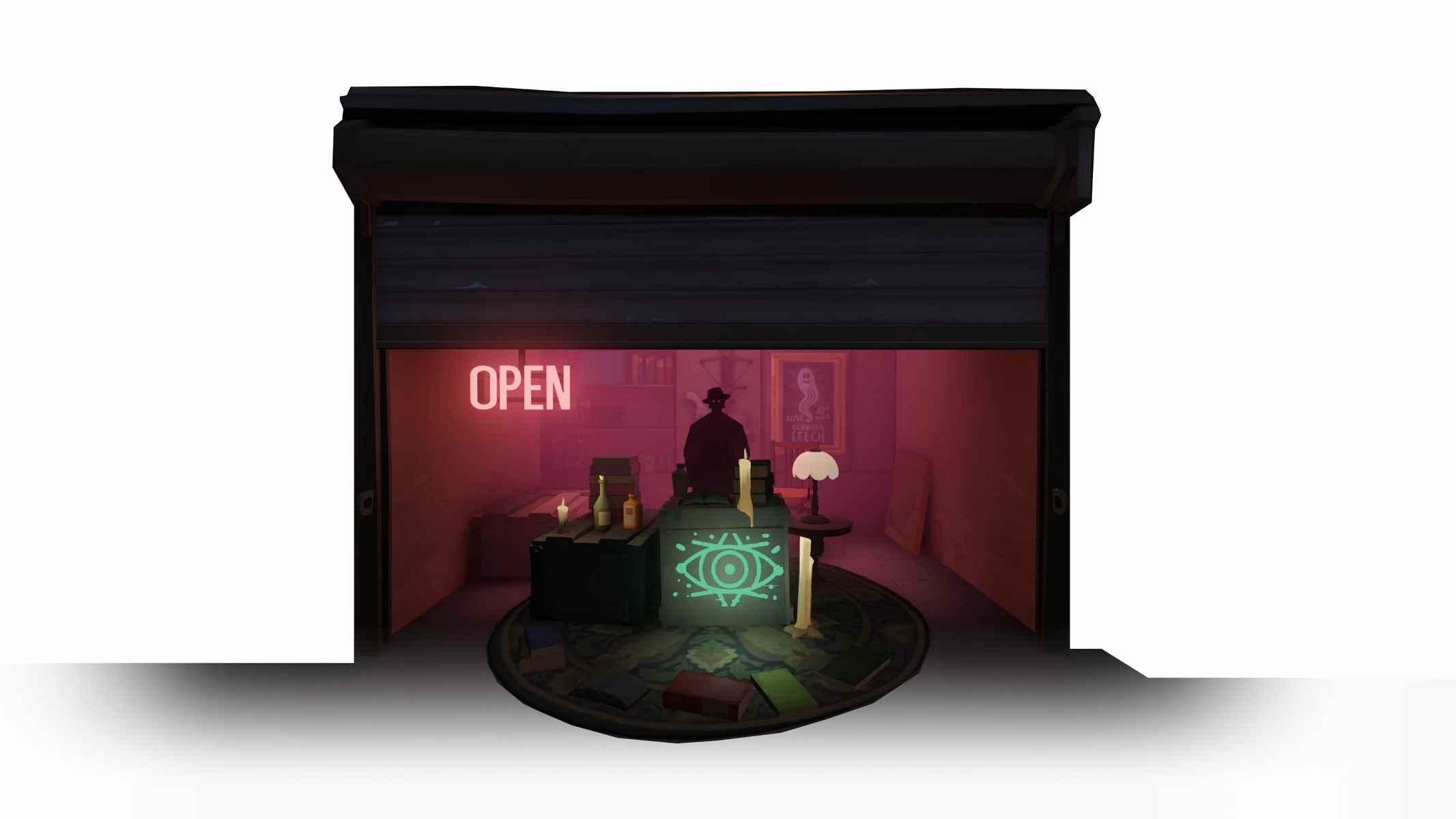
The Broker is a temporary visitor with Corrupted Items to trade. Image: © Valve Corporation. City Never Sleeps.
- • First shipment: around 30 minutes into a match; the exact arrival varies.
- • Later stock: additional Corrupted Items can be collected, on average, every 15 minutes afterward.
- • The catch: random negative attributes are drawn from a predefined set each match. Strengths and penalties can vary between matches, but they are the same for everyone within one match.
- • The deadline: Valve says the Broker leaves when the first new hero arrives.
That makes reading the current offer more important than remembering a previous game. A combination that worked yesterday may carry a different cost today.
Our practical recommendation is to ask what the penalty does to your intended job in the team. A stronger item is less appealing if its drawback undermines the thing you need it for. Check the trade before exchanging something that your build already depends on.
There is also a calendar deadline. Valve describes The Broker's current visit as lasting only a few days, ending when the first new hero arrives.
With that release scheduled for October 2, this is a short opportunity to experiment. If you are reading after the first hero release, check the latest announcement before expecting to find the same feature.
City Never Sleeps also adds a Corrupted Item after the Round 5 item draft in Street Brawl.
Six heroes, a vote, and several unanswered questions
The six newcomers give the update a distinctive cast:
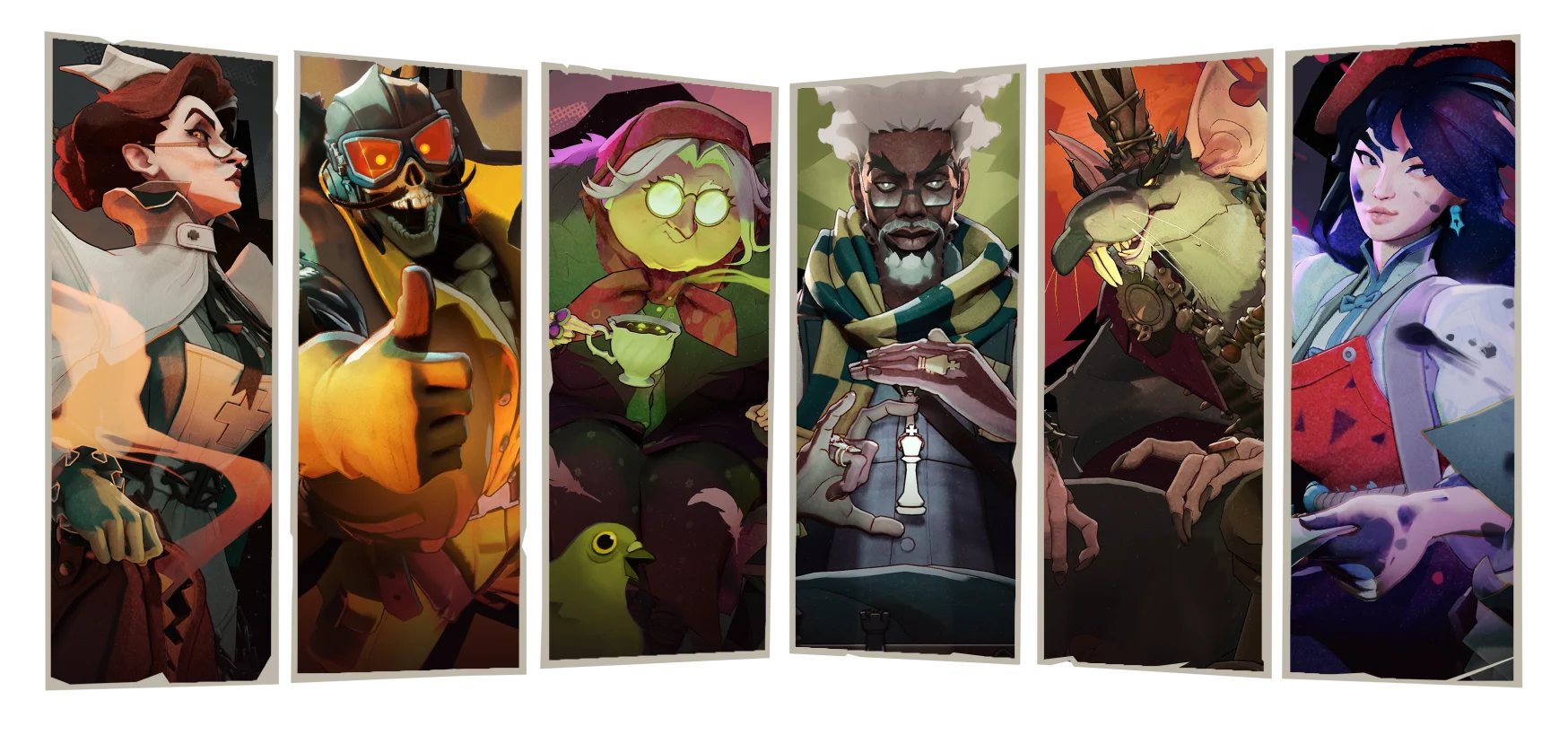
The six announced heroes, from left to right in the order listed below. Image: © Valve Corporation. City Never Sleeps.
- • Nurse Harrow
- • Deadman Danny
- • Baba
- • Solomon
- • Rat King
- • Violet
The vote and rollout work as follows:
- • Vote in the Pregame lobby. The community chooses the release order.
- • Wins affect voting weight. The winning team’s votes count double, and the first win of the day also gives double votes. Valve has not specified how the bonuses combine.
- • Priority Tokens start with the first release. Playing will begin earning New Hero Priority Tokens at that point.
- • Campaign posters return. You can show support for an upcoming character.
Following the announced Tuesday and Friday cadence would put the six release slots on October 2, 6, 9, 13, 16 and 20. The later dates are a calendar reading of that schedule, and remain subject to Valve maintaining it.
The order is still the key unknown. Detailed abilities, reliable builds and practical team combinations also need to be assessed as each hero releases.
A useful group plan is to keep familiar heroes ready alongside the newcomer you want to try. That gives you room to learn without making the whole evening depend on everyone getting an unfamiliar character.
The HUD gives you more useful answers during a fight
City Never Sleeps puts more information where you can use it.
- • Healthbars: current health, stamina, critical health status, player names and indicators for ultimates and Rejuvenator availability.
- • Objectives and damage: updated objective information and damage display options that can include cumulative totals.
- • Allies and stats: distant ally indicators and a clearer view of investments, buffs and debuffs during combat.
- • Event Feed: the ability or item behind a killing blow, the target’s full bounty and your personal share.
The benefit is a better chance to explain a decision afterward. Was the target actually vulnerable? Did you lose track of an ally? What finished the fight?
Our advice is to select one or two new indicators to pay attention to during your first games. Trying to consciously read every new element at once can be distracting. Start with the information that addresses a mistake you already know you make.
Shop trends are a starting point, not a verdict
The shop's Popular Items feature uses live player purchase data to show frequently bought items for your hero. Tooltips also indicate purchase frequency and the phase of the game when an item is commonly bought.
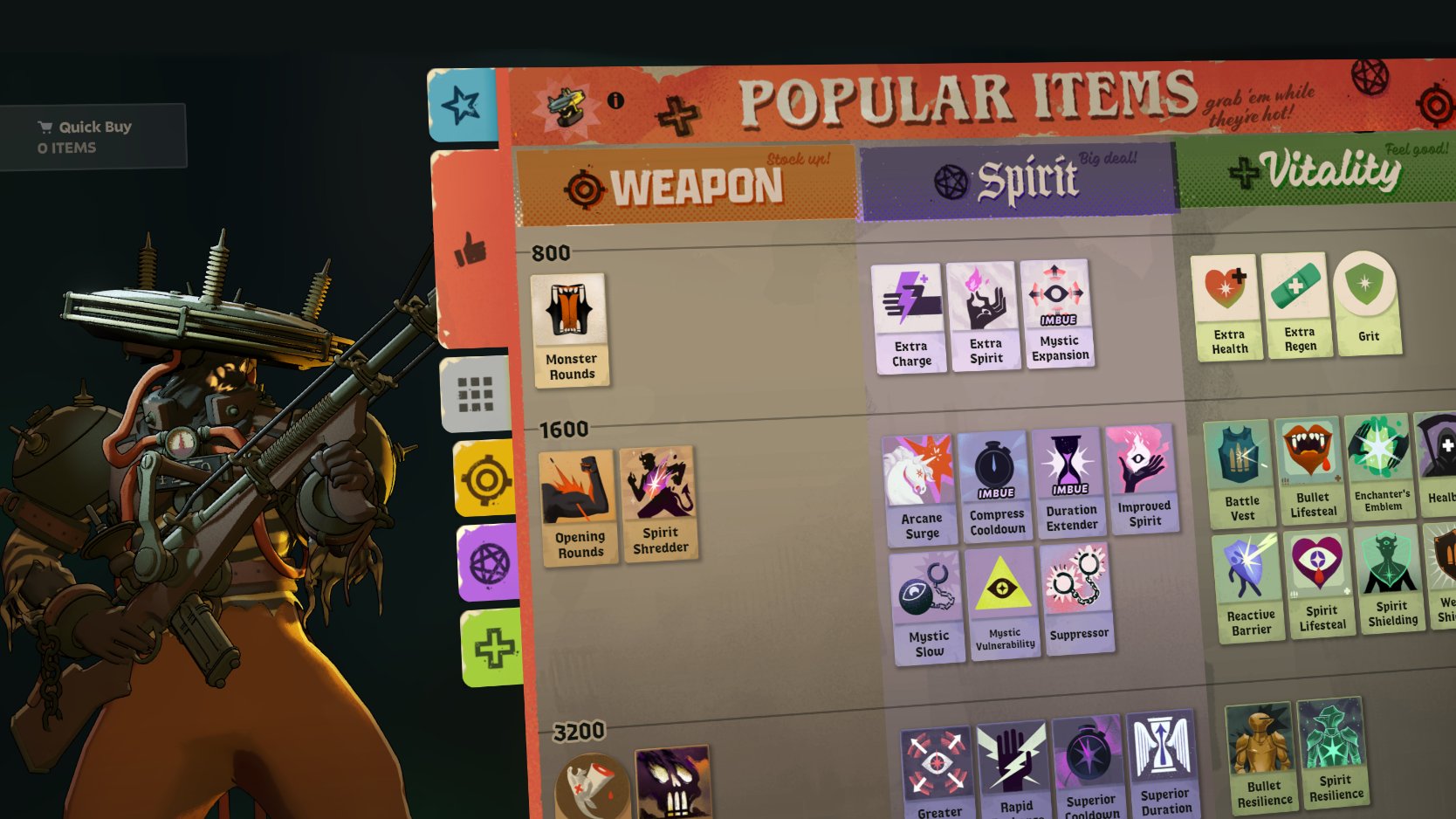
Popular Items draws on live purchase data; it does not choose your build for you. Image: © Valve Corporation. City Never Sleeps.
That is helpful when returning after a break, but popularity does not establish the best purchase for your current match.
Use the feature to generate questions: why is this item common, when are players buying it, and does it answer the threat in front of me?
Other shopping changes make it easier to compare options:
- • Item filters narrow choices by stats and modifiers; shop stats show the impact of a purchase.
- • Navigation, search and build browsing receive improvements.
- • Chat, kill feed and scoreboard access keep team information available while shopping.
- • Build tools add copying and pasting builds and resizing categories. Recheck an old favourite against current items.
Communication gets more specific
The reworked ping system offers more ways to express a plan.
- • World targets: ping troopers, neutrals, ziplines, the Rift, bridge buffs and the shop.
- • Abilities and items: share dynamic cooldown information, an intended purchase or something already bought.
- • Enemies: communicate critical health, death status or an approaching respawn.
- • Minimap groups: ping a cluster to call out the number of enemies there.
For a mixed group of experienced and returning players, this offers a practical way to keep communication short. Pair a location with a reason: an enemy grouping, a cooldown you are waiting for, or the purchase you need before joining.
The voice update is substantial:
- • Over 15,000 new and updated pings.
- • Over 10,000 non-ping voice lines.
- • Pre-match conversations grow from more than 700 to 1,500.
- • A new dialogue browser lets you listen to Heroes and Patrons outside the match.
Reporting changes include notifications when action is taken on a reported player. Valve says players found to be abusing communications during a match can be muted for its remainder and receive a 30-day communications ban.
Check the new settings before queuing
Before your first match, review these additions:
- • Readability: customisable dialogue subtitles, enemy UI colours and reticle colour controls.
- • Camera comfort: reduced camera shake.
- • Input options: Auto Move, Auto Fire and Auto Mantle provide alternatives to holding or repeatedly pressing particular inputs.
- • Keybind map: see assigned keys and mouse buttons.
- • Shareable settings codes: preview reticle and keybind configurations before applying them, with an option to undo afterward.
That last detail makes experimentation less intimidating. You can inspect a teammate's setup without committing to it immediately.
More settings now sync through the cloud, and players sharing a PC can keep separate setups.
The update changes ability and item activation so that it happens on button press rather than waiting for the next input window. Alongside the reported network, rendering and audio improvements, this is a reason to reassess how the game feels on your own setup.
Sandbox can turn a hunch into a test
The expanded testing tools are among the most useful parts of the update for players who enjoy understanding why something works.
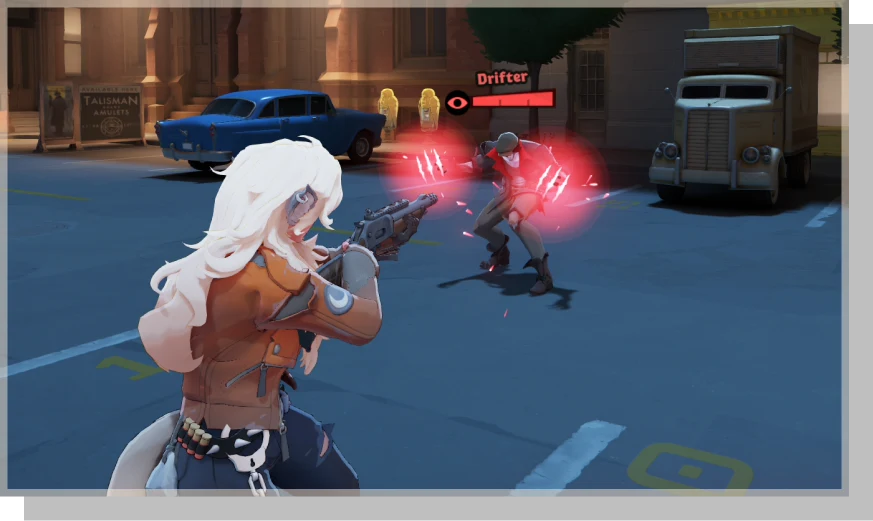
Repeat the same conditions with bot recordings before comparing results. Image: © Valve Corporation. City Never Sleeps.
- • Bot recordings: replay, loop and share a sequence.
- • Combat Log: inspect damage events and applied modifiers.
- • Speed graph and DPS meter: track movement, damage output and total damage.
- • Falloff guides: see where weapon damage starts declining and where it reaches its minimum.
- • Test controls: adjust permanent buffs, targets, map spawns and free shopping.
Use these tools to answer a specific question rather than to chase the biggest number you can produce.
For example, compare two item choices against the same target conditions. Test a movement sequence more than once. Check whether a range change affects the fight you actually want to take.
A controlled comparison is more useful than comparing two impressive clips recorded under different conditions. Sandbox does not decide the match for you, but it can remove uncertainty from one part of your plan.
What Valve has discussed for later
The accompanying development update explains that Valve is working on several areas in parallel.
- • Under development: progression and hero or hideout customisation.
- • More speculative: larger item redesigns, additions and alternative modes, with release dependent on playtesting.
- • Future attention: Midboss, Guardians, Walkers and older hero models.
These are development directions, not additions you should expect to find because City Never Sleeps has arrived. No release dates are provided for those projects.
The useful reading is that Deadlock remains changeable. Learn the current update, but leave room for systems and priorities to evolve.
Give your first evening one clear goal
A group does not need to master every change in one session.
- 1. Before queuing: check the new settings and revisit one familiar hero in Sandbox. Pick a single comparison or input change to test.
- 2. During the first match: focus on one district, learn one Haunt’s behaviour and notice the cost of a tempting detour.
- 3. At the next experiment: inspect the current Corrupted offer together if the Broker is still available. If a hero has released, agree on who wants to try them.
- 4. Afterward: review one moment using the event information or permanent buff graph.
A good first evening can end with a better route, a clearer purchase decision and a group that wants another game. You do not need a solved meta to make progress.
Find teammates for the return you want
“Playing the new patch” can mean different things to different people. Someone may want focused competitive games, while another wants time to explore the districts and try the newest hero.
Start a teammate request on Teamplay, choose Deadlock, and give other players a clear idea of the evening:
- • Goal: focused games, exploring the changed city or trying a newly released hero.
- • Communication: your language and voice-chat preferences.
- • Time: when you can play and how long you want to stay.
- • Experience: whether you are returning after a break.
That gives other players useful information before you queue together.
Official sources
Valve's City Never Sleeps guide: the districts, Haunts, Broker, hero vote, interface, settings and testing tools. Check it for current release status and the official visual tour.
Valve's official Steam announcement, September 29, 2026: the update release and the accompanying development outlook.
The practical suggestions are Teamplay’s editorial recommendations. The city, characters and interface images come directly from Valve’s update page. The cover combines an official city image and an official Gutter Ghoul cutout with Teamplay typography.